
Operation Manual
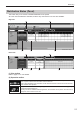
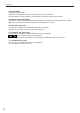

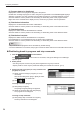
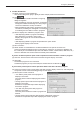
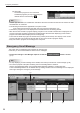
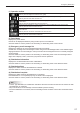

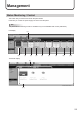
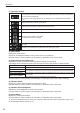
Table Of Contents

21
Distributing
Distribution Status (Panel)
This button lets you check the schedules distributed to the panels.
As in the case of Distribution Schedule, both the day view and the hour view are available.
Day view
(2)
(3) (4) (5)
(1)
Hour view
(2)
(3) (4) (7)
(1)
(6)
(1) View toolbar
Refer to page 17 for more details.
(2) Operation toolbar
This button lets you retrieve the information of the schedules distributed to the panels.
Select a panel to retrieve the information and click this icon.
InPULLtypedistribution,theinformationwillberetrievedatthetimeoftherstaccessfromthe
viewer PC after this operation.
Displaystheretrievedscheduleusinganapplicationassociatedtothexml/htmlles(typically
the Microsoft Internet Explorer).
If printing function is available with the application, the schedule can be printed. Click the icon to
display the menu to select xml or html.