
User Manual

TIME REDUCE COOKING
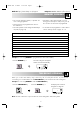
MEMORY NO. COOKING MODE COOK TIME
1 Microwave 100% 10 sec.
2 Microwave 100% 20 sec.
3 Microwave 100% 30 sec.
4 Microwave 100% 45 sec.
5 Microwave 100% 1 min.
6 Microwave 100% 1 min. 15 sec.
7 Microwave 100% 1 min. 30 sec.
8 Microwave 100% 1 min. 45 sec.
9 Microwave 100% 2 min.
0 Microwave 100% 2 min. 15 sec.
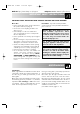
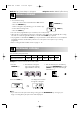
Example: To cook using MEMORY 1 (programmed for 10 seconds at 100%).
Note: The time reduce factor is preset at 0.9. This can be changed for each memory bank.
When you use the same memory key continuously, the oven may become hot. To prevent food
overcooking, it is recommended to use the TIME REDUCE key. This will shorten the total cooking time.
Example: To cook using MEMORY 1 with the TIME REDUCE key.
1. Press the NUMBER key 1.
The total cooking time will appear
and the oven starts automatically.
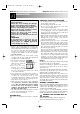
• The oven has 10 memory banks (1 - 0) which can
store cooking programmes.
• These have been pre-programmed as shown in
the chart below.
• The memory banks can be changed individually if
required (see page 14).
• Information in these memory banks is not lost
during power interruptions. If the power goes off,
the oven does not need to be re-programmed.
• To check the stored programmes or reduce factors
refer to “memory check” on pages 15 - 16.
MEMORY COOKING
Website: http://www.sharp.co.uk/support Help Line: 08705 274277 (office hours)
7
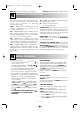
2. Press the NUMBER key 1.
The display will count down
through the cooking time.
x1
1. Press the TIME REDUCE key.
x1
x1
R-8740M O/M 5/15/01 12:41 PM Page 7