
User Manual



CONVENIENT FUNCTIONS
Website: http://www.sharp.co.uk/support Help Line: 08705 274277 (office hours)
16
2c. MEMORY CHECK
You can check the information programmed into the memory, for example, time and power level.
Before you check the memory programme ensure the oven has been released from the lock function.
NOTE:
• To cancel MEMORY CHECK, press the STOP key.
• To check memory banks consecutively, press the desired NUMBER key prior to pressing the STOP key.
After selecting the NUMBER key, follow the example above.
• To check the reduce factor, press the TIME REDUCE key before pressing the NUMBER key.
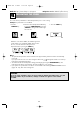
Example: To check the information programmed into NUMBER 6 key. (Programmed for 1 minute 15
seconds on 100% microwave power.)
1. Press the
MEMORY key.
2. Select the
NUMBER 6 key.
3. The programme will appear.
(MICRO cooking mode indicator light will come on.)
x1
x1
R-8740M O/M 5/15/01 12:42 PM Page 16