
Operation Manual

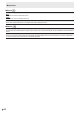

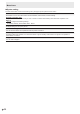


Table Of Contents
- IMPORTANT INFORMATION
- DEAR SHARP CUSTOMER
- SAFETY PRECAUTIONS
- TIPS AND SAFETY INSTRUCTIONS
- MOUNTING PRECAUTIONS
- Supplied Components
- System Requirements
- Part Names
- Connecting Peripheral Equipment
- Connecting the Power Cord
- Binding Cables
- Preparing the Remote Control Unit
- Turning Power On/Off
- Touch action
- Basic Operation
- Drawing
- LocalMM
- File Explorer
- Wireless Display
- Menu Items
- Functional Restriction Setting (Function)
- Controlling the Monitor with a computer (RS-232C)
- Troubleshooting
- Specifications
- Intellectual Property Rights and Other Matters
- Mounting Precautions (For SHARP dealers and service engineers)

38
E
Controlling the Monitor with a computer (RS-232C)
n
Response code format
When a command has been executed correctly
O K
Return code
(0DH, 0AH)
A response is returned after a command is executed.
When a command has not been executed
R R E
Return code
(0DH, 0AH)
TIPS
• “ERR” is returned when there is no relevant command or
when the command cannot be used in the current state of
the monitor.
• Ifcommunicationhasnotbeenestablishedforreasons
such as a bad connection between the computer and
monitor, nothing is returned (not even ERR).
•
“ERR”maybereturnedwhenacommandcannotbereceived
correctlyduetointerferencefromthesurroundingenvironment.
Please
ensurethatthesystemorsoftwareresendsthe
command if this occurs.
If execution of the command is taking some time
I W T A
Return code
(0DH, 0AH)
Whenthefollowingcommandsareused,“WAIT”isreturned.
Inthiscase,avaluewillbereturnedifyouwaitawhile.Donot
sendanycommandduringthisperiod.
• CommandswhichreturnWAIT:
RSET,POWR,INPS,WIDE,BOMD
n
Communication interval
• AfterOKorERRisreturned,youmustsendthefollowing
commands.
Tosetatimeoutforthecommandresponse,specify10
seconds or longer.
• Provideanintervalof1000msormorebetweenthe
command response and the transmission of the next
command.
VOLM0020
OK
INPS0002
WAIT
OK
Interval of 1000 ms or more
TIPS
• WhenALLRESETisexecuted,themonitorentersstandby
mode.Waitatleast1minutebeforesendingthenext
command.Ifyouexecutepower“On”afterALLRESET,it
will take time for the monitor to start up, so wait at least 5
minutes before sending the next command.
• Beforesendingapower“On”or“Off”command,itis
recommendedthatyouperformbufferclearatthesending
application side.
• Afterexecutingapower“On”or“Off”command,waitat
least1minutebeforesendingthenextcommand.