Owner's Manual
Manuals
Brands
Sharp Manuals
All in One Printer
MX-C312
381
382
383
384
385
386
387
388
389
390
4-47
FACSIMILE
Contents
4
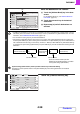
Touch the [OK] key.
When [Long Size] is selected, the 2-sid
ed scanning setting and send size cannot be
changed.
Auto
5½x8½
Scan Size
Send Size
100%
Fax/Original
OK
2-Sided
Booklet
2-Sided
Tablet
Image Orientation
1
...
...
388
389
390
391
392
...
...
791