
Specifications


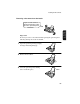


Sending a Fax by Normal Dialling
67
3. Sending
Documents
4
Wait for the connection. Depending
on the setting of the receiving
machine, you will either hear a
facsimile reception tone or the other
person will answer.
• If the other party answers, (lift the
handset if the SPEAKER key was
pressed) ask them to press their
START key. This causes the
receiving machine to issue a
reception tone.
Using the REDIAL key
You can press the REDIAL key to redial the last number dialled. To
send a document, proceed from Step 4 of Normal Dialling. Note that
the speaker will be automatically activated when you press the
REDIAL key.
5
When you hear the reception tone,
press the START/MEMORY key.
Replace the handset if you used it.
• When transmission is completed,
the fax will beep once.
Beep
Facsimile reception tone: This is a pronounced, high-pitched tone
that the receiving machine sends to the transmitting machine to
indicate that it is ready to receive.
START/MEMORY