
Specifications




OPERATING THE ANSWERING MACHINE
●
Recording phone conversations To
record a phone conversation hoic
down the REC/MEMO key during tne
conversation you want to record
When you are flnlshed. release the
key
A beep WIIIsound at every 15 seconds
interval to signify that 2 way recording
IStaking place.
WARNING: Use of this device for monitoring telephone conversation is
not permissible under New Zealand law, unless.
a) At least one party of the conversation has given consent for its use. or
b) Use is authorised for Police or Security Service Applications.
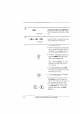
You can check the date and time of your received messages by pressing the panei
keys as shown below.
+ The dates and times are also shown In tne Message List, which can be prlntea
out as described In Chapter 9,
1
F
o
m
Press the keys shown a?left “A.~ S=T-
TINGS” will appear In the display
2
press s at Ief? “lcM ~~N-
B m B
~lRMATION” wili appear Inthe dls~la}
3
--...,,:
o
Press the START/MEMORY key, The
@
number of messages recordedWIIIap-
~ear In the display.
4
Press “#’ or”* one or more times to
a
o
*
show the date and time of each of the
messages.
. The message number will appear first,
and then the aate and time severa! sec-
5
0
@
Press the STOP key
N r d ? c e t J e the mes-
sages
4-4 USING THE ANSWERING MACHINE