
Quick Start Guide







7
In WebPlus, there are a range of assets that you can use to build
up your site, including graphics, page content and layouts. Let's
add an under construction graphic to an unfinished page in our
site.
1. In the tab, select an unfinished
page (e.g., Rates & Reservations).
2. On the tab to the left of the
workspace, click .
3. In the , type “construct” into
the Search box in the top-right corner.
Press the Return key.
4. From the displayed search results select a
thumbnail.
5. Click .
6. From the
category on the
tab, drag your chosen
graphic onto the page.
Resize and reposition it
as required.
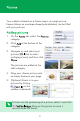
You can preview your website at any time. From the
flyout on the toolbar, click
.