
Operation Manual




24
Getting Started
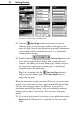
Y Click the “Meadow” color scheme sample and notice that the
newsletter’s body text turns purple. Now click the “Mint” scheme
and the text turns black.
Y As you switch back and forth, look closely at the top portion of the
scheme samples, and you’ll see a group of five colors to the right
of the scheme name. Note that that in each case it’s the first of the
five scheme colors that’s being applied to the text.
In Page Wizard publications, body text has been marked with “Scheme
Color 1”. That means it takes on whichever color has been defined as
Scheme Color 1 in the current scheme.
Y Keep clicking different color schemes. Which element(s) have
been marked with Scheme Color 2? Scheme Color 3? If you need a
hint—look closely at the cube patterns.
The bottom portion of each color scheme sample includes the so-called
“Web colors,” which we’ll discuss in the next chapter. You can
customize any or all of the colors within a scheme using the Color
Manager. (Display the Studio’s &RORU6FKHPHV panel, right-click a
sample, and choose&RORU0DQDJHU.)
For more information and full-color examples, take a moment to view
QuickTour 11, &RORUVDQG&RORU6FKHPHV.
Now that you’ve successfully created and customized a Page Wizard
publication, you’re ready to proceed to the kinds of projects you have in
mind.
For more help on the basics...
You’ve seen how easy it is to create the basic structure of a Web site
using a WebPlus Wizard. And you know how to find your way around
the workspace.
When you’re ready to construct your actual Web site, you’ll no doubt
want to learn about other options. By now you should have viewed
QuickTours 1 and 2. See online help for additional details.
For help on... Choose from the
Help menu...
Then...
Starting, saving,
closing publications
Contents / How To See topics in section “Work
with WebPlus Publications”
Overview of Web Index Select “Web sites, getting
47
?