
Operation Manual





88 Pictures
selection). It's OK to repeatedly click and drag until your selection
area is made.
The
Undo button reverts to the last made selection.
5. If you're outputting an alpha-edged bitmap, you can refine the area
to be kept/discarded within Cutout Studio (only after previewing)
with Erase and Restore touch-up tools. Vector-cropped images can
be cropped using standard PagePlus crop tools outside of the
Studio.
6. Click
OK to create your cutout.
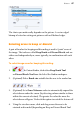
Use Restore or Erase Touch-up tools for fine-tuning your
alpha-edged bitmap after preview.
PhotoLab filters and retouching tools
PhotoLab is a powerful studio for applying adjustment and effect filters
to pictures individually or in combination—all instantly applied and
previewed—and carrying out popular edits like image straightening!
PhotoLab hosts filter tabs, a main toolbar, and applied filter stack
around a central workspace.