
Operation Manual





Text 63
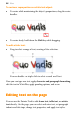
As both paragraph and character formatting can be applied to the same
text, all of the current text's formatting is displayed in the Current
format box on the tab. In the example below, currently selected text has
a 'Strong' character style applied over a 'Body' paragraph style.
To update a named style using the properties of existing text:
1. Make your desired formatting changes to any text that uses a named
style.
2. On the Text Styles tab, right-click the style and choose Update
<style> to Match Selection.
All text using the named style, throughout the publication, takes on the
new properties.
To modify an existing style:
• From the Text Styles tab, right-click on the character or paragraph
style you want to modify and then choose Modify <style>.
Creating custom text styles
If required, you can create your own custom styles, either based on a
currently selected text style or from scratch. See PagePlus Help for more
information.