
Operation Manual





58 Text
To resize or reproportion an artistic text object:
• To resize while maintaining the object's proportions, drag the resize
handles.
• To resize freely, hold down the Shift key while dragging.
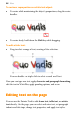
To edit artistic text:
• Drag to select a range of text, creating a blue selection.
You can double- or triple-click to select a word or all text.
Now you can type new text, apply character and paragraph formatting,
edit the text in WritePlus, apply proofing options, and so on.
Editing text on the page
You can use the Pointer Tool to edit frame text, table text, or artistic
text directly. On the page, you can select and enter text, set paragraph
indents and tab stops, change text properties, and apply text styles.