
Operation Manual





Text 57
Using artistic text
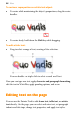
Artistic text is standalone text you type directly onto a page. Especially
useful for headlines, pull quotes, and other special-purpose text, it's
easily formatted with the standard text tools.
To create artistic text:
1. Choose the
Artistic Text Tool from the Tools toolbar.
2. Click on the page to make an insertion point from where you'll
begin typing.
3. Set initial text properties (style, font, point size, etc.) using the Text
context toolbar.
4. Start typing to create the artistic text using your chosen text
properties.
Once you've created an artistic text object, you can select, move, resize,
delete, and copy it just as you would with a text frame. Solid colours,
gradient/bitmap fills, and transparency can all be applied.