
Operation Manual




34 Pages
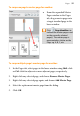
• Click Edit on Master Page to jump to the master page and
edit the object there.
• Click
Promote from Master Page to disconnect the object
from the master page and make it independently editable on the
publication page.
Using page numbering
Page number fields automatically display the current page number.
Typically, these fields are added automatically to the master page (so
they appear on every page) with the Header and Footers Wizard (Insert
menu), but you can insert a page number field anywhere in your master
page text.
You can change the style of page numbers, create mixed page number
formats, set starting page number(s), and control number continuation
across chapters and publication sections (all via Page Number Format
on the Format menu).
To insert a page number field:
1. Switch to the master page (if desired) by clicking
View Master
Pages on the Hintline.
2. With the Artistic Text Tool selected (Tools toolbar), click for an
insertion point to place the page number.
3. On the Insert menu, select Page Number from the Information
flyout.