
Operation Manual




72 Text
Editing text on the page
You can use the Pointer Tool to edit frame text, table text, or artistic text
directly. On the page, you can select and enter text, set paragraph
indents and tab stops, change text properties, apply text styles, and use
Find and Replace.
Selecting and entering text
The selection of frame text, artistic text, and table text follows the
conventions of the most up-to-date word-processing tools. The selection
area is shaded in semi-transparent blue for clear editing.
Double-, triple- or quadruple-click selects a word, paragraph or all text,
respectively. You can also make use of the Ctrl-click or drag for
selection of non-adjacent words, the Shift key for ranges of text.
To edit text on the page:
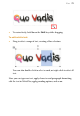
1. Select the Pointer Tool, then click (or drag) in the text object. A
standard insertion point appears at the click position (see below),
- or -
Select a single word, paragraph or portion of text.