
Operation Manual






Effects and Styles 119
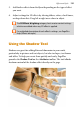
5. Add further effects from the flyout depending on the type of effect
you want.
6. Adjust settings for 3D effects by altering sliders, values, check boxes,
or drop-down lists. Drag left or right over values to adjust.
The 3D Effects & Lighting category hosts master control settings
which are enabled when any 3D effect is applied.
For a detailed description of each effect's settings, see PagePlus
Help (Effects tab topic).
Using the Shadow Tool
Shadows are great for adding flair and dimension to your work,
particularly to pictures and text objects, but also to shapes, text frames
and tables. To help you create them quickly and easily, PagePlus
provides the Shadow Tool on the Attributes toolbar. The tool affords
freeform control of the shadow effect directly on the page.