
Operation Manual






88 Text
Paragraph styles Character styles
So why have this hierarchy of text styles? The key reason for this is the
ability to change a text style at any "level" in the hierarchy in order to
affect all "child" styles which belong to it.
Working with named styles
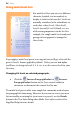
The named style of the currently selected text is
displayed in either the Text Styles tab or the Styles drop-down list on
the Text context toolbar. A character style (if one is applied locally) may
be shown; otherwise it indicates the paragraph style.
To apply a named style:
1. Using the Pointer Tool, click in a paragraph (if applying a
paragraph style) or select a range of text (if applying a character
style).
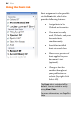
2. Display the Text Styles tab and select a style from the style list.
- or -
On the Text context toolbar, click the arrow to expand the
Styles drop-down list and select a style name.