
Operation Manual




122 Tables, Charts, and Calendars
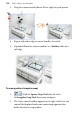
3. Drag the cursor inwards (down, left or right) on your picture.
4. Repeat with other edge or corner handles, if needed.
5. (Optional) From the context toolbar, set a Feather value for a
soft edge.
To crop a picture (irregular crop)
1.
With the Square Crop Tool selected, select
the Irregular Crop Tool above your workpace.
2. The Curve context toolbar appears on its right, which lets you
control the displayed nodes and connecting segments that
define the object's crop outline.