
Operation Manual




Working with Objects 77
Exporting Serif Metafiles
PagePlus lets you export pictures in Serif Metafile Format (SMF). This
proprietary format, an improvement on the Windows Metafile Format (WMF)
due to improved text, line and fill handling, is especially useful for interworking
between Serif products, i.e. you may want to utilize PagePlus objects in another
Serif application to save time and effort. The object is converted to a graphic
and becomes non-editable, but the object's original appearance will be honoured.
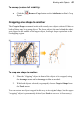
Rotating an object
You can rotate single and multiple objects, including pictures, text objects, and
groups using the object's rotation handle or the Rotate Tool.
To rotate a selected object (using its rotation handle):
• Click and drag the rotation handle extending from the selection box
(use the Shift key while dragging for 15° rotation intervals).
To rotate an object (using Rotate Tool):
1. Select the Rotate Tool on the Tools toolbar's Selection flyout.
2. Click to select the object, hover over one of its edge or corner handles
until you see the rotate cursor.
3. Hold the mouse button down and drag the cursor in the direction in
which you want to rotate the object, then release.