
Operation Manual



46 Working with Pages
Switching view modes
You can switch between different view modes, which offer single or multiple
pages to view:
• Normal view, which displays one page at a time.
• Multi-page view, used for inspecting long documents, displays a
number of pages according to a configurable page array (e.g., a 3x1
grid).
In Normal and Multi-page view, the pasteboard is shared by all pages. In
Multipage view, it's also especially easy to move or copy objects between pages
using drag-and-drop and set the number of pages displayed.
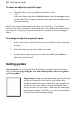
To view multiple pages (in Multi-page mode):
1. Click the Multi-page flyout on the View toolbar. An array
selector appears.
2. Click and drag to choose an array within the selector, for example 2 x
4 Pages or 3 x 1 Pages (as shown). To expand the number of choices,
drag down and to the right. Click Normal View if you change your
mind.
The publication appears in Multi-page mode with the specified page array in
view.
To switch between views:
• Choose between Normal or Multi-page from the View menu.