
Operation Manual




218 Pictures, Lines, and Shapes
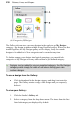
(A) Categories,(B)Designs
The Gallery tab can store your own designs in the ready-to-go My Designs
category—the design is made available in any PagePlus project. When you first
install PagePlus, the My Designs gallery will be empty, ready for custom
designs to be added to it. New categories can be created at any time.
To further arrange your designs into logical groupings, you can add sub-
categories to My Designs or to any other custom or pre-defined category.
Designs can be added to any pre-supplied category; the My Designs
category exists simply for ease of use when storing your own
custom designs.
To use a design from the Gallery:
• Click its thumbnail in the design category and drag it out onto the
page. The Gallery retains a copy of the design until you expressly
delete it.
To view your Gallery:
1. Click the Studio's Gallery tab.
2. Select a category from the drop-down menu. The items from the first
listed subcategory are displayed by default.