
Operation Manual




88 Working with Objects
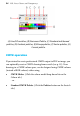
freeform cut
(using Bump profile)
straight line cut
To cut selected objects (freeform or straight line):
1. Select the
Knife Tool on the Drawing toolbar's Vector Edit
flyout.
2. (Optional) Use Smoothness on the tool's context toolbar to set how
regular the freeform cutting line is—click the right arrow and drag
the slider right for increasing smoothness.
3. (Optional) By default, you'll get a straight cutting profile, but for
regular-shaped cuts, pick a Cutting Profile from the context toolbar.