
Operation Manual





Lines, Curves and Shapes 53
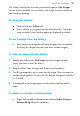
The Gallery tab also lets you store your own designs in a My Designs
section if you would like to reuse them—the design is made available in
any DrawPlus drawing.
To view your Gallery:
• Click the Studio's Gallery tab.
• Select a folder or category from the drop-down list. The items
from the folder's first listed category are displayed by default.
To use a design from the Gallery:
• Drag any preset design directly onto the page. You can modify,
then drag the design back into your own custom category.
To copy an object into the Gallery:
1. Display the Gallery tab's My Designs (or sub-category of that)
where you want to store the object.
2. Drag the object from the page and drop it onto the gallery.
3. You'll be prompted to type a name for the design. (You can name or
rename the design later, if you wish.) By default, designs are labelled
as "Untitled."
4. A thumbnail of the design appears in the gallery, labelled with its
name.
To delete or rename a custom design:
• Right-click its gallery thumbnail and choose Delete Design or
Rename Design from the submenu.