
Operation Manual





52 Lines, Curves and Shapes
We've used a triangle as an example above and made use of the
nodes that show by default. However, DrawPlus will allow you to
add dimension lines between separate objects, and define your
target angle from any point on the object or page.
Instead of displaying an inner angle, drag the dimension line and
label to the outer angle to display its obtuse equivalent.
Press the Esc key while drawing your dimension line to cancel the
operation.
Adjusting dimension lines
For all dimension tools, a pair of parallel blue extension lines with blue
end nodes appears on the dimension line, along with a node on the label
box. Between the two extension lines, the dimension line and its label
can "float" by moving the blue nodes.
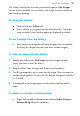
Using the Gallery
The Studio's Gallery tab
contains pre-built design
objects and elements you'd like
to reuse in different drawings.
You can choose designs stored
under Clipart (like Animals),
Home, Office, School,
ShapeArt, and Web folders.