
Operation Manual




Lines, Curves and Shapes 35
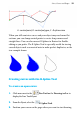
The polygon line extends from the current point. The B-spline
curve created by the polygon displays.
8. Click to add another point and repeat for as many more as you
need.
The control polygon extends and the B-spline curve updates as you
do this.
9. When you are finished with the curve, press the Esc key to cancel
the selection.
To create a closed shape:
1. With the B-Spline Tool selected, position your cursor on the page
and click to add the first control point as before.
2. Position the cursor at the next point and click again.
3. Position the cursor again in a place and click for each subsequent
point required.
4. To close the shape, position the cursor over the first control point
and click once followed by Esc.
Creating sharp corners or straight lines
You can create sharp corners or straight lines by clamping control
points of your B-spline curve to the control polygon. If you clamp one