
Operation Manual




Lines, Curves and Shapes 31
Drawing shapes
When a line (or series of line segments) forms a complete, enclosed
outline, it becomes a new closed object called a shape. Because shapes
have an interior region that can be filled (for example, with a solid
colour, vector or a bitmap), they have fill properties as well as line
properties.
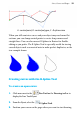
You can make a shape by closing a curve—extending a freeform line or a
segmented straight line back to its starting point. Shapes have an interior
which is filled with the current default fill (see Setting fill properties on
p. 92) when the shape is closed.
To close an existing curve (with a straight line):
1. Select the curve with the Node Tool, Pencil or Pen Tool.
2. Click
Close Curve on the context toolbar. A Straight segment
appears, closing the curve.
To close a curve (without new segment):
1. Select the curve with the Node Tool.