
Operation Manual




Lines, Curves and Shapes 29
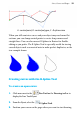
Any kind of open line (that is, one that hasn’t been closed to create a
shape) can be extended, and you can use any of the three line tools to do
so.
To extend a line:
1. Move the cursor over either of the end nodes, a small cursor will
appear. Click at that location.
2. The line that you drag out will be a continuation of the existing line,
as a new line segment.
To draw a curved line:
1. Choose the
Pen Tool from the Drawing toolbar's Pen Tools
flyout.
2.
From the displayed context toolbar, choose to create your
drawn segments in Smooth, Smart, or Line Segments creation Mode.
• Smooth Segments: draws Bézier curves smoothly segment-by-
segment, with manual on-curve and off-curve adjustment via
nodes and control handles, respectively.