
Operation Manual




Lines, Curves and Shapes 27
Drawing lines and shapes
Lines can be either straight or curved, and can have properties like
colour and width (thickness). They can also adopt specific line styles,
ends, and caps.
If you're using a pen tablet or using simulated pressure sensitivity (with
DrawPlus's Pressure tab), you'll be able to draw realistic lines of varying
width and opacity using pressure sensitivity—just like drawing with real
pencils and pens.
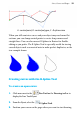
To draw a freeform line:
1. Choose the
Pencil Tool from the Drawing toolbar.
2. Click once, then drag across the page, drawing a line as you go. The
line appears immediately and follows your mouse movements.
3. To end the line, release the mouse button. The line will
automatically smooth out using a minimal number of nodes.