
Operation Manual




26 Lines, Curves and Shapes
4. Press the Shift key down then click on a second object.
5. Continue selecting other objects to build up your multiple selection.
Handles (or a bounding box, depending on the tool) appear around
the multiple selection.
To select all objects on the page:
• Choose Select All from the Edit menu (or use Ctrl+A).
To add or remove an object from a multiple selection:
• Hold down the Shift key and click the object to be added or
removed.
If you have one or more objects selected, you can select all other
unselected page objects instead; the originally selected objects become
deselected.
To invert a selection:
• From the Edit menu, select Invert Selection.
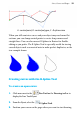
For very precise object selection, you can draw a lasso around an
object to select it (press the Alt Key down with the selection tool
enabled, then drag around the object ).