
Operation Manual




Fills, Lines, Colours, and Transparency 95
Applying colour
To apply a solid fill colour via the Colour tab:
1. Select the object(s) and display the Studio's Colour tab.
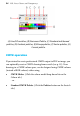
2. Click the Line/Fill Swatch at the top-left of the tab so the Fill Swatch
appears in front of the Line swatch.
This defines where the colour will be applied. Alternatively, apply
colour to both line and fill simultaneously by clicking
Link on
the swatch.
3. (Optional) Choose a colour model from the drop-down list.
4. Select a colour from the display.
To apply a solid fill colour via the Swatch tab:
1. Select the object(s) and display the Studio's Swatch tab.
2.
Set the Line/Fill Swatch at the top-left of the tab so the Fill
Swatch appears in front of the Line Swatch.