
Operation Manual




56 Working with Pages
To undo a solo level:
• Double-click a selected thumbnail or click Unsolo in the Solo
Mode window.
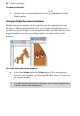
Using multiple document windows
Multiple document windows can be used effectively for comparing the same
drawing, at different magnification levels. As you make fine adjustments to a
specific area of your design in a new magnified window, you'll be able to use the
original window to see how your changes look in the context of the whole
drawing.
To create a new document window:
• Select New Window from the Window menu. The same drawing
shows in a new window, e.g. "Drawing2 (RGB):2" where "2" represents
the window number.
You will need to position your windows and set your magnification
level for side-by-side comparison.