
Operation Manual




Working with Pages 55
While in solo mode, the Layers tab will show only the objects
present at the current solo level. This is ideal for managing objects
at that level (especially selecting and ordering).
To isolate an object:
1. Select the object, then click Solo Mode on the Hintline toolbar.
2. Once in Solo mode, continue drawing in isolation.
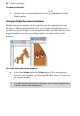
The Solo Mode pop-up window shows the original drawing. If you want to
optionally work on sub-areas of your "soloed" drawing, you can in work in
multi-level solo mode.
3. Select object(s).
4. Click Solo Mode.
The selected object(s) is isolated for focused editing.
Any edits you make are updated across all levels simultaneously.