
Operation Manual




Working with Pages 53
2. (Optional) For selected objects, drag a corner (or edge) handle to
resize the grid or reposition the grid by dragging. The grid can be
manipulated just like an object.
3. Place pictures, frames, or vector objects under any of the intersecting
blue lines.
Once applied, the grid stays selected. Clicking away from the grid will deselect it,
but it can be reselected at any time (e.g., for repositioning later).
To select the grid:
• From the Standard toolbar, click Overlays and choose Select
Rule of Thirds.
Using divine proportions
Divine proportions
in DrawPlus involve overlaying
a grid over your design for aesthetic proportioning
of design elements. The grid uses the classic golden
ratio principle commonly encountered in:
• classic drawings (e.g., da Vinci's Vitruvian
Man).
• musical instruments (opposite).
• buildings (Athen's Parthenon).
• modern iconic design (Apple
iPod/iTouch).
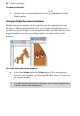
The golden ratio can be understood using a cello as an example—
the ratio (0.618) is that between the instrument's neck and its body.
"Golden" Spirals, Rectangles, and Tangents make up the grid, each differently
coloured for easy distinction. Their colours can be changed and each grid
component can be hidden from the context toolbar.