
Operation Manual




Working with Pages 51
Rotating your canvas
Rotating your canvas helps you to maintain natural flow when drawing freeform
lines, curves, or brush strokes, where the artist uses the wrist as a pivot
(especially when using a pen tablet). If you rotate the canvas by a chosen angle
then the drawing becomes easier—taking advantage of the natural arc of the
drawing hand.
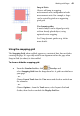
The above example illustrates how grass-like brush strokes can be added more
easily to a canvas once it has been rotated 30°!
To rotate your canvas:
Either:
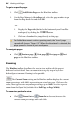
1. Click Rotate Canvas on the Hintline toolbar (don't click the
down arrow).
2. Hover over your workspace until you see the cursor, then drag to
rotate the canvas clockwise or anti-clockwise.
3. Once you're happy with the degree of rotation, release the mouse
button to reposition the canvas.
- or -
• Click the down arrow on the Rotate Canvas button (Hintline
toolbar) and choose a preset angle from the drop-down list.