
Operation Manual




50 Working with Pages
Using drawing targets
Drawing targets let you control how you draw in relation to a selected object.
The ability to draw in front, behind, or inside any currently selected object
provides an alternative to drawing objects that, by default, always appear in front
of all other layer objects. This extra control is of particular benefit on more
complex designs containing overlapping objects; the created object is placed
adjacent to (or clipped to) the originally selected object.
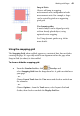
Draw in Front
Draw Behind
Draw Inside
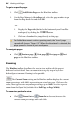
In the Layers tab, you'll see how objects created in front, behind, or inside the
currently selected object are placed above, below, or clipped to the selected
object. Objects at the top of the layer are displayed in front of object lower in the
layer.
To draw in front, behind, or inside the selected object:
1. From the Standard toolbar, select a Target, i.e., Draw
in Front, Draw Behind, or Draw Inside.
2. Draw over the selected object. You'll see the new object ordered
according to the Target chosen.