
Operation Manual




Working with Pages 43
Snap to Units
Objects will jump to snapping
measurement units, independent of ruler
measurement units. For example, a shape
can be resized by pixel on a supporting
pixel grid.
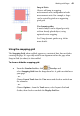
Use dynamic guides
A moved object can be aligned precisely
with an already placed object, using
optional vertex snapping.
See Using dynamic guides on p. 44 for
more details.
Using the snapping grid
The Snapping Grid, when enabled, appears as a matrix of dots, lines or dashes
covering the page. It's especially useful as an alignment aid on the page when
Snap to Grid (see above) is also enabled.
To show or hide the snapping grid:
• From the Standard toolbar, click Overlays and
select Snapping Grid from the drop-down list. A grid is overlaid over
your page.
- or -
Choose Layout Tools from the View menu and check or uncheck on
the submenu.
- or -
Choose Options... from the Tools menu, select Layout>Grid and
Guides, then check or uncheck the Display Grid box.