
Operation Manual




Working with Objects 139
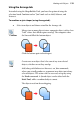
• To shift the object's position one step toward the front, choose
Forward One on the Arrange tab.
• To shift the object's position one step toward the back, choose
Back One on the Arrange tab.
Working with layers
If you are drawing something simple, you don’t really need to make use of
layers—you can do all your work on the single layer that every new document
has. However, if you’re creating something a little more tricky then layers can be
a vital aid in separating objects into independent sets. You can think of layers as
transparent sheets of paper upon which you can draw your objects.
Layers are useful when you're working on a complex design where it makes sense
to separate one cluster of objects from another. The whole drawing is produced
by piling up the layers and viewing all of the objects on all of the layers; you can
choose which layer you are editing and thus make changes without fear of
modifying anything on another layer. In essence, by building up your drawing
from multiple layers you make it much easier to edit.