
Operation Manual





Using Brushes 93
Selecting brushes
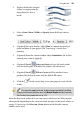
DrawPlus supports a wide range of brushes, all capable of producing:
Stroke brush effects:
• Draw (graphic
pencil, marker
pen, pen, pencil)
• Paint (bristle,
stipple, wash)
Spray and photo brush
effects:
• Airbrush, splats,
spray can
• Effects (bubbles,
glitter, neon,
smoke, fur,
clouds)
• Grunge
• Nature (fog, grass, snow)
• Photo (rope, chains, zippers, flowers, embroidery, textured edges)
Painting inherits the principles of Drawing lines and shapes (see p. 61).
The drawing freedom of the Pencil Tool is adapted for brushwork using the
dedicated Paintbrush Tool. You can pick up colour for your brushes as you
would for other object, by simply selecting the Paintbrush Tool, choosing your
brush type from the Brushes tab and picking a brush colour from context
toolbar, Colour or Swatch tab.