
User manual





53
12.2 How to adjust the backlight settings
Choose from:
• Always On.
• On for 2 mins – backlight switches off 2 minutes after the last button press.
• On for 5 mins – backlight switches off 5 minutes after the last button press.
• Always Off.
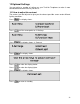
Press The display shows:
Press until the arrow points to >5.Settings.
Press The display shows: >1.Contrast.
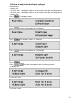
Press until the arrow points to >2.Backlight
Press
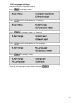
Press until the arrow points to the setting you want
>1.Always On
>2.On for 5 mins
>3.On for 2 mins