
User Manual




Rev. 20190228A
To Contents 3 of 23
SecureDrive Overview
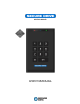
Thank you for purchasing the SecureDrive-Keypad Model (‘Drive’ hereafter), an easy to
use hardware encrypted USB 3.0 portable external data storage drive with on-board
alphanumeric 11 button keypad for OS-independent user-authentication.
The Drive uses XTS-AES 256-bit hardware encryption, which encrypts all data on it in
real time. It requires no software drivers nor updates and works on all computer and
embedded systems that support standard USB protocol.
Should your Drive get lost or stolen, rest assured that all data on it is protected by military
grade encryption and cannot be accessed without entering the PIN (Person-Identification-
Number).
The Drive can be configured with both a User and Admin PINs, making it perfect for
personal use and business use such as healthcare, legal, corporate, and government.
Your drive may have Cloud Backup and built-in Antivirus features installed. For more
information, please contact Support at SecureData™.
REQUIREMENTS
• The Drive must be connected to a computer for use. It works on Windows, Mac,
Android, Linux, or Chrome operating systems, or any embedded systems
supporting USB 2.0 port, minimum.
WHAT’S INCLUDED?
• 1 SecureDrive • 1 Quick Start Guide • 1 USB 3.0 cable
Safety Information
This icon indicates important information regarding the safety of the product and
your data (Cautions). Please be mindful of these messages. Contact support if you have
questions.
PRECAUTIONS
Do not expose the Drive to water or moisture.
Resetting the Drive will delete all stored data as well as all PINs and settings. The
Drive will become blank and require formatting.
Forgetting your PIN will render the Drive inaccessible. There is no ‘backdoor.’
(If an Admin exists, the Admin can unlock the Drive and create a new User PIN.)