
User manual



45
Mixing (Secura® and Quintix® only)
User Manual for Secura, Quintix, Practum
Net1
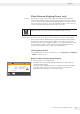
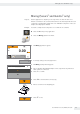
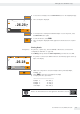
t To view the total weight, select the Net1/Total button on the weighing display.
Max 2100 g d
=
0.01 g
26.28
Component
3
END
Total
+
y The total weight is displayed.
Total
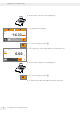
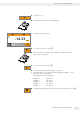
t To change back to viewing the individual weights of each component, select
the Net1/Total button again.
t To exit the function, select x.
y The total weight is displayed and the application switches back to its original
state.
Printing Results
Prerequisites: For printouts, a printer (e.g., Sartorius YDP40) or PC must be connected and
configured (see “USB Port” on page76).
In the Mixing settings window the Print component option must be set to On.
Max 2100 g d
=
0.01 g
26.28
Component
1
+
Net
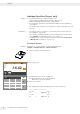
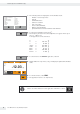
y If a printer is connected, an additional button automatically appears at the top
right of the display.
y When each component is saved, their weight value is printed (Comp1,
Comp2, etc.)
y Select x to print the total weight (T-Comp).
y A sample printout is given below:
---------------------
Comp1 + 14.33 g
Comp2 + 5.97 g
Comp3 + 5.98 g
T-Comp + 26.28 g
There is an online animation for this application. Click here to view it: