
User manual


20
Using the Balance
User Manual for Secura, Quintix, Practum
Setting the Language
The display text is given in English as a default.
To change the language, proceed as follows:
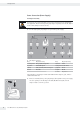
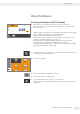
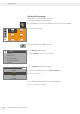
t In the Weighing screen, select the Menu key at the bottom left of the display.
ComponentsStatistics
MixingWeighing
y The menu is displayed.
t Select the i button (Setup) in the menu.
Settings
Language
Date and time
Device information
Calibration/Adjustment
Weighing
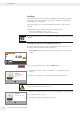
y The Settings window appears.
t Select Language or the top entry in the list.
Language
Deutsch
Français
English
Español
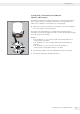
y The Language settings window appears.
t Select the desired language, such as Deutsch (German).
t Select l to confirm.
y The display immediately switches to the desired language.
t Select ; to return to the menu.