
Specifications




3
SafetyGuidelines
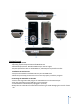
Functions&Controls
1.VolumeButton: Presstheleftandrightarrowstolowerorraisethevolume.
2.LanyardBar: Connectthelanyardstrapusingthis.
3.LCDScreen: Viewinformationandsongsdisplayed.
4.HeadphoneOutlet: Connecttheheadphonestheretolistentomusic.
5.On/Off;MenuButton: Pressandholdtoturnon/offpower;presstodisplaymenu.
6.CenterButton: Presstoselectanitem.
7.Play/Pause/Up: Pushtoplaysong,pause,ormoveupaselection.
8.Fast‐forward/Next: Presstomoverightorplaynextsong;pressandholdtofast‐
forwardtrack.
9.OptionTab/Down: Presstoopenoptionsmenuormovedowna
selection.
10.Rewind/Backward: Pushtomoveleftorplayprevioussong;pressandholdtorewind
track.
11.BatteryLatch: Openthislatchtotakeoutandreplacebattery.
12.USBCablePort: ConnecttheUSBcablehere.
13.Mic: SpeakintoareatouseMicrophone.
14.HoldSwitch Sliderighttolock(orange)playercontrolsandleft
tounlock
CAUTION:Keepdeviceawayfrombathtubs,swimm ingpools,
andother wate rsurroundingareas ,asplayerisnotwaterproof.
CAUTION:Donotuseorstoreinplacesexposedto extreme
sunlig htorinhumidlocations.Exp osuretodirectsunlightmay
causedam agetoscreen.
WARNING:DonotuseHeadphone sathighvolumes.Saf ely
keepthevolume atamoderatelev el.Toohighlevelscan
damageheadphonesand
yourhearing!
WARNING:Avoidusingthis productwhendriving,asdr iving
shoul dbeyourmainfocusontheroad;al sowhenperforming
otheractivitiesthatcouldbepotentiallydange rousforpeople
aroundyou!