RSA1W*** Refrigerator user manual English imagine the possibilities Thank you for purchasing a Samsung product. To receive a more complete service, please register your product at www.samsung.
features of your new refrigerator KEY FEATURES OF YOUR NEW REFRIGERATOR Your Samsung Side-By-Side Refrigerator comes equipped with many space-saving, innovative storage and energy-efficient features. • HIDDEN HINGES & DOOR S/W Slick-covered hidden hinges & door s/w helps Neat & Stylish square frontal view. • TALL DISPENSER Putting clean water into fridge door Water Tank, easy to drink cooling water without opening door.
safety information SAFETY INFORMATION • Before operating the appliance, please read this manual thoroughly WARNING and retain it for your reference. WARNING • Because these following operating instructions cover various models, the characteristics of your refrigerator may differ slightly from those described in this manual. CAUTION/WARNING SYMBOLS USED WARNING CAUTION Indicates that a danger of death or serious injury exists. Indicates that a risk of personal injury or material damage exists.
safety information WARNING • In order to avoid the creation of a flammable gas-air mixture if a leak in the refrigerating circuit occurs, the size of the room in which the appliance may be sited depends on the amount of refrigerant used. • Never start up an appliance showing any signs of damage. If in doubt, consult your dealer. • The room must be 1m3 in size for every 8g of R600a refrigerant inside the appliance.
safety information • The refrigerator must be grounded. - You must ground the refrigerator to prevent any power leakages or electric shocks caused by current leakage from the refrigerator. • Never use gas pipes, telephone lines or other potential lightening rods as ground. - Improper use of the ground plug can result in electric shock. • Do not dissemble or repair the refrigerator by yourself. - You run risk of causing a fire, malfunction and/or personal injury.
safety information CAUTION SIGNS FOR CLEANING • Do not insert your hands into the bottom area under the appliance. - Any sharp edges may cause personal injury. • Never put fingers or other objects into the dispenser hole and ice chute. - It may cause personal injury or material damage. • Do not use a wet or damp cloth when cleaning the plug, remove any foreign material or dust from the power plug pins. - Otherwise there is a risk of fire.
safety information Additional Tips for Proper Usage • Allow the appliance to stand for 2hours after installation. • To get best performance of product, - Do not place foods too closely in front of the vents at the rear of the appliance as it can obstruct free air circulation in the freezer compartment. - Wrap the food up properly or place it in airtight containers before put it into the fridge freezer - Do not put any newly introduced food for freezing near to already frozen food.
contents SETTING UP YOUR SIDE-BY-SIDE REFRIGERATOR 9 10 13 16 Getting ready to install the refrigerato r Removing the refrigerator doors Reattaching the refrigerator doors Leveling the refrigerator SETTING UP YOUR SIDE-BY-SIDE REFRIGERATOR 17 Making minor adjustments to the doors OPERATING THE SAMSUNG SIDE-BY-SIDE REFRIGERATOR 18 19 20 21 22 23 24 26 27 28 29 30 Setting up the refrigerato r Operating the refrigerator Using the digital displa y Controlling the temperature Using the ice box and cold w
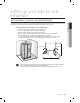
setting up your side-by-side refrigerator GETTING READY TO INSTALL THE REFRIGERATOR Selecting the best location for the refrigerator Select a location with easy access to the water supply. Select a location without direct exposure to sunlight. Select a location with level (or nearly level) flooring. Select a location with enough space for the refrigerator doors to open easily. Allow sufficient space to install the refrigerator on a flat surface.
setting up your side-by-side refrigerator REMOVING THE REFRIGERATOR DOORS If your entrance won’t allow the refrigerator to pass easily through it, you can remove the doors. 1. Removing the Front Leg Cover First, open both the freezer and refrigerator doors, and then take off the front leg cover by turning the three screws counter-clockwise.
setting up your side-by-side refrigerator • Make sure that you lift the door straight up so the hinges are not bent or broken. • Place doors on a protected surface to prevent scratching or damage. 1. With the Freezer door closed, remove the upper hinge cover then disconnect the wires by gently pulling them apart 2 . 1 01 SET T I NG UP 2. Removing the freezer door A few things to mention first. using a screwdriver, and 2 2.
Removing the Fridge Door 1. With the door closed, remove the upper hinge cover 1 using a screwdriver. 1 2. Remove hinge screws 2 and the ground screw 3 by turning counter-clockwise, and take off the upper hinge 4 . Be careful that the door does not fall on you as you are removing it. 2 3 4 3. Remove the door from the lower hinge 12_ setting up 5 by lifting the door straight up 6 .
setting up your side-by-side refrigerator REATTACHING THE REFRIGERATOR DOORS Reattaching the Freezer Door 8 1. Insert the upper hinge shaft 3 into the hole on the corner of the freezer door 4 . Make sure the hinge is level between the upper hinge hole 5 and the hole of the cabinet 6 and reattach the hinge screws 7 and ground screw 8 by turning in a clockwise direction. 7 5 3 6 4 2. Reconnect the wires. 3.
REATTACHING THE FRIDGE DOOR 1. Fit the hole in the corner of the fridge door 3 over the lower hinge 4 . 3 4 2. Insert the upper hinge shaft 5 into the hole on the hinge Make sure the hinge is level between the upper hinge hole 7 and the hole on the top of the cabinet 8 . Then, reattach hinge screws 9 and the ground screw 10 by turning it in a clock wise direction. 3.
setting up your side-by-side refrigerator Reattaching the Front Leg Cover Front Leg Cover Screw setting up _15 01 SET T I NG UP Before attaching the cover, check water connector for leakage. Replace the front leg cover by turning the three screws clockwise, as shown in the figure.
setting up your side-by-side refrigerator LEVELING THE REFRIGERATOR Now that the doors are back on the refrigerator, you will want to make sure the refrigerator is level so you can then make final adjustments. If the refrigerator is not level, it will not be possible to get the doors perfectly even. The front of the refrigerator is also adjustable.
setting up your side-by-side refrigerator MAKING MINOR ADJUSTMENTS TO THE DOORS When the door of the freezer is higher than the fridge Adjustment part In the case of the process to correct the imbalance is the same. Open the doors and adjust them, one at a time, as follows: 1. Unscrew the nut 1 from the lower hinge until it reaches the upper end of the bolt 2 .
operating the SAMSUNG side-by-side refrigerator SETTING UP THE REFRIGERATOR Now that you have your new refrigerator installed and in place, you are ready to set up and enjoy the full features and functions of the appliance. By completing the following steps, your refrigerator should be fully operational. If not, first check the power supply and electricity source or try the troubleshooting section at the back of this user guide.
OPERATING THE REFRIGERATOR USING THE CONTROL PANEL 4 1 3 2 5 RSA1W (Power Cool) 3 1 POWER FREEZER BUTTON Speeds up the time needed to freeze products in the freezer. This can be helpful if you need to quickly freeze items that spoil easily or if the temperature in the freezer has warmed dramatically (For example, if the door was left open). 2 FREEZER BUTTON Press the Freezer button to set the freezer to your desired temperature, You can set the temperature between -14°C (8°F) and -25ºC (-14°F).
Operating the SAMSUNG side-by-side refrigerator USING THE DIGITAL DISPLAY “88” segment on Freezer part indicates the current Freezer temperature. “88” segment on Fridge part indicates the current Fridge temperature. RSA1W (Vacation) RSA1W (Power Cool) Power Freeze This icon will light up when you activate the “Power Freeze” feature. When you don`t need requirement, just press the button again to cancel the “Power Freeze” mode.
CONTROLLING THE TEMPERATURE Controlling the Freezer temperature Controlling the Fridge temperature The refrigerator temperature can be set between 7ºC (46°F) and 1ºC (34°F) to suit your particular needs. Press the Fridge button repeatedly until the desired temperature is shown in the temperature display. The temperature control process for the Fridge works just like the Freezer process. Press the Fridge button to set your desired temperature.
operating the SAMSUNG side-by-side refrigerator USING THE ICE BOX AND THE COLD WATER DISPENSER Using the Ice Box 1. When the freeze temperature get zero degre below, you can use Ice Box to make ice. 2. Taking out Ice Box ① from shelf ② first, putting clean water (water temperature not warm) into it, and not take too much water into the box, pushing the Ice Box into the shelf along rails. 3. Waiting some times (several hours), the water of the Ice Box will become ice.
SHELVES AND BINS Freezer Lamp Cover 02 OPE R ATI NG Ice Maker Box Glass Shelves Door Bins Drawers Front Leg Cover Fridge Dairy Bin Lamp Cover Wine Shelf Water Tank Tray Utility Glass Shelves Door Bins Vegetable &Fruit Drawers operating _23
operating the SAMSUNG side-by-side refrigerator STORING FOOD Storing Food in the Freezer The Samsung Side-By-Side Refrigerator has been designed to provide you with maximum spacesaving features and functions. Here are some of the customized compartments we have created to keep your food fresher, longer. Remember, in order to prevent odor penetration to the ice, stored food should be wrapped securely and as airtight as possible.
Storing Food in the Freezer 1 SHELVES 3 DOOR BINS Can be used for small packages of frozen food. DRAWERS Best used to store meats or dry foods. Stored food should be wrapped securely using foil or other suitable wrapping materials or containers. 02 OPE R ATI NG 2 Can be used to store all types of frozen food. Storing Food in the Fridge 4 SHELVES Designed to be crack-resistant. They can be used to store all types of food and drinks.
operating the SAMSUNG side-by-side refrigerator REMOVING THE FREEZER ACCESSORIES Cleaning and rearranging the interior of the freezer is a snap. 1. Remove the Glass Shelf by pulling the shelf out as far as it will go. Then, gently lift it up and remove it. CAUTION In case it does not have hooks itself in the back Hook side for not being tilted,a shelf should be placed deeply in a proper position where there are blocks for shelves as shown. if not, the shelf can fall out of a refrigerator. 2.
operating the SAMSUNG side-by-side refrigerator 02 OPE R ATI NG REMOVING THE FRIDGE ACCESSORIES 1. Remove the Spill Proof Glass Shelf by pulling the shelf out as far as it will go. Then, gently lift it up and gently remove it. CAUTION In case it does not have hooks itself in the back side for not being tilted,a shelf should be placed deeply in a proper position where there are blocks for shelves as shown. if not, the shelf can fall out of a refrigerator. Hook Block 2.
operating the SAMSUNG side-by-side refrigerator CLEANING THE REFRIGERATOR Caring for your Samsung Side-By-Side Refrigerator prolongs the life of your appliance and helps keep it odor and germ-free. Cleaning the Interior Clean the inside walls and accessories with a mild detergent and then wipe dry with a soft cloth. You can remove the drawers and shelves for a more thorough cleaning. Just make sure to dry them before putting them back into place.
operating the SAMSUNG side-by-side refrigerator CHANGING THE INTERIOR LIGHTS Replacement bulbs for the fridge and freezer are available at most major retail outlets. Use replacement bulb Maximum 40 Watts for the Fridge compartment and Maximum 40 Watts for the Freezer compartment. 02 OPE R ATI NG WARNING Pull the power plug out of the socket before changing the interior light of the refrigerator. - Otherwise, there is a risk of electric shock.
Changing the Interior Lights in the Freezer The freezer light is located in the bottom of the auger motor case. 1. Grab the lamp and pull out with 2 hands in the direction of arrows. 2. Replace the bulb with a new one. 3. Reattach the light cover. USING THE DOORS The refrigerator doors are equipped with a door opening and closing feature that ensures that the doors close all the way and are securely sealed. After opening beyond a certain point, the door will “catch” and remain open.
trouble shooting PROBLEM SOLUTION The refrigerator does not work at all or it does not chill sufficiently. • • The food in the fridge is frozen. • You hear unusual noises or sounds. • • • • • • • • The front corners and sides of the appliance are hot and condensation is occurring. Ice is not producing. • • • Check that the power plug is properly connected. Is the temperature control on the display panel set to the correct temperature? Try setting it to a lower temperature.
English Correct Disposal of This Product (Waste Electrical & Electronic Equipment) (Applicable in the European Union and other European countries with separate collection systems) This marking shown on the product or its literature, indicates that it should not be disposed with other household wastes at the end of its working life.
MEMO
Question or Comments? www.samsung.com/at AUSTRIA 800 - SAMSUNG (800-726786) 8 - SAMSUNG(7267864) 30 - 6227 515 01 4863 0000 3 - SAMSUNG(7267864) 0 - 801 - 1SAMSUNG(172678)/022 - 607 - 93 - 33 808 20 - SAMSUNG(7267864) 0800 - SAMSUNG(7267864) 902 - 1 - SAMSUNG (902 172 678) 3030 8282/1800 110011/1-800-3000-8282 075 - SAMSUNG(726 78 64) 0845 SAMSUNG(7267864) EIRE 0818 717 100 0848 - SAMSUNG(7267864, CHF 0.08/min) 8-800-555-55-55 TURKEY 444 77 11 www.samsung.com/ie www.samsung.com/ch www.samsung.