
Operation Manual



3 9
External adjustment
Set ID
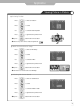
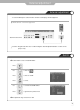
<Back view of the LCD TV>
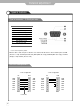
・Use the RS-232C jack to control monitor's functions externally by external equipment.
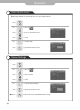
Use this function to choose monitor ID number.
The adjustment range of Set ID is 0~254.
● How connect a external equipment
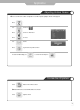
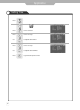
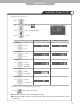
Use to move to .
Press to move to "Set ID".
Press to select.
Use to select the desired ID number.
Press to go back to the previous menu.
Press .
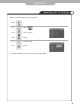
External adjustment
C a u t i o n : Regular customer does not allow using the external adjustment that is used for service
purpose only.