
Operation Manual



3 7
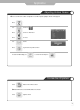
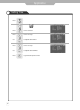
Automatic Power On/Off
Setting Time for Power On Setting Time for Power Off
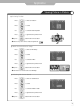
Setting Hour
Use to select,
to set
Setting Minute
Use to select,
to set
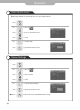
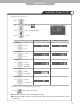
S e t / C a n c e l
Use to select,
to select the
"On" or "Off"
Channel Select
Use to select,
to set pro
g
ram
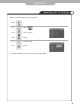
Volume Control
Use to select,
to set volume
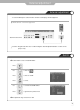
Application
press button on the remote control.
It automatically turns off the TV after a designated period of time
Depending on the number of times the "Sleep" button is pressed, the TV will be turned off after 30, 60, 90, 120, 150
or 180 minutes.
● To have the TV turn off after you fall a sleep
● Clock time must be set
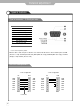
Use to move to .
Press to move to desired category.
Press to select.
Press .