
Operation Manual



3 1
Adjusting Unclear Screen
Application
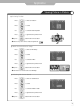
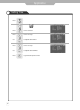
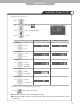
Use screen fine-tune controls to adjust the screen when picture quality is unclear or lines appear.
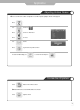
Use to move to .
Press to move to "Fine Tune".
Press to select.
Press .
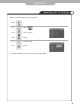
Use to tune.
Press to go back to the previous menu.
To return to initial setting, use to select "Reset" and press .
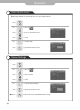
Press button on the remote control.
Picture will freeze, but sound will continue to be heard.
Press again to cancel.
To view the still picture