
Operation Manual




2 4
Changing Sound Settings
Basic Use
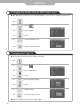
Press button on the remote control .
Custom Standard Music Movie Speech
・Custom : Select when listening to the sound to user's preference.
・Standard : It is the flat sound setting with no equalizer effect at all.
・Music : It is preset for music listening.
・Movie : It is preset sound for watching a movie.
・Speech : It is preset for hearing vocal audio clearly.
Use to move to .
Press to move to "Custom Adjust".
Press to select.
Press .
Use to move to the desired category.
Use to adjust the setting.
Press to go back to the previous menu.
● Custom Sound Adjustment
Custom Mode
・Volume : It adjusts the sound volume.
・Balance : It adjusts the volume of speakers on the left and the right.
・Equalizer : It adjusts the volume by frequency bands and the user can select the desired sound quality.
Press the mode buttons on the shown on the screen repeatedly to adjust the settings.