
Operation Manual




1 9
Watching TV
Basic Use
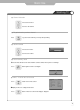
● INFO - To check the current state
● To turn off only sound
● Volume Control
● Channel Selection
Use the mute function to turn off the LCD TV sound for a while, when a phone or a bell rings.
Press to go back to the channel you were previously viewing.
increases the channel.
decreases the channel.
Press button again to hear the sound again.
Press button on the remote control.
Press button or wait 10 seconds for the display to disappear.
Display shows user's setting and selections.
● To go back to the previous channel
increases the volume.
decreases the volume.