
User manual





Operation
5-21
The following will be displayed:
With keys and select contrast.
Press the OK key.
The following will be displayed:
With keys and select luminosity.
Press the OK key.
The following will be displayed:
With keys and select paper.
Press the OK key.
The following will be displayed:
Insert your identity card flatbed on the scanner’s glass.
The following will be displayed:
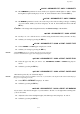
CONTRAST
- ----------O-------- +
LUMINOSITY
--------O------- +
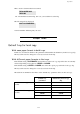
1 >>NORMAL PAPER
2 THICK PAPER
PUT ID. CARD
THEN OK
COPY IN PROGRESS